極速下載站 —— 提供優(yōu)質(zhì)軟件下載服務(wù),感受全新的極速下載體驗(yàn)!
最近更新 | 軟件專(zhuān)題 | 軟件分類(lèi) | 軟件排行


BullGuard Antivirus注冊(cè)新用戶(hù)賬號(hào)教程
時(shí)間:2018-05-04 15:16:57 作者:Joe 瀏覽量:20

BullGuard Antivirus是一款好用的電腦殺毒軟件。使用BullGuard Antivirus可以輕松保護(hù)電腦免受惡意病毒的入侵。BullGuard Antivirus需要用賬號(hào)密碼登錄才能使用;
- 進(jìn)入下載

- BullGuard Antivirus 18.0.347.16 中文版
大小:49.93 MB
日期:2018/5/4 15:25:36
環(huán)境:WinXP, Win7, Win8, Win10, WinAll
安裝軟件后雙擊BullGuard Antivirus桌面快捷方式打開(kāi)軟件。

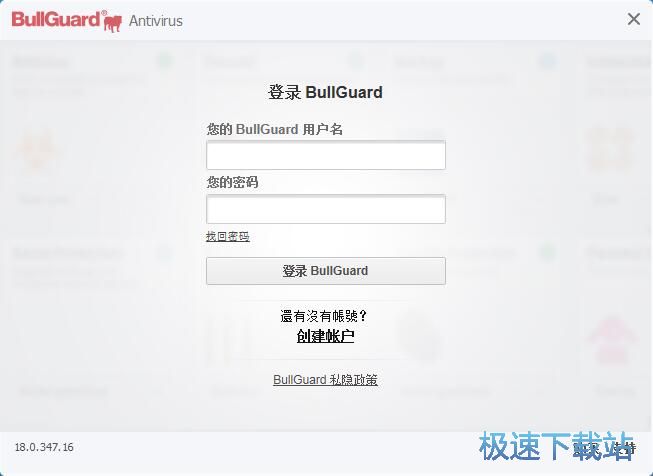
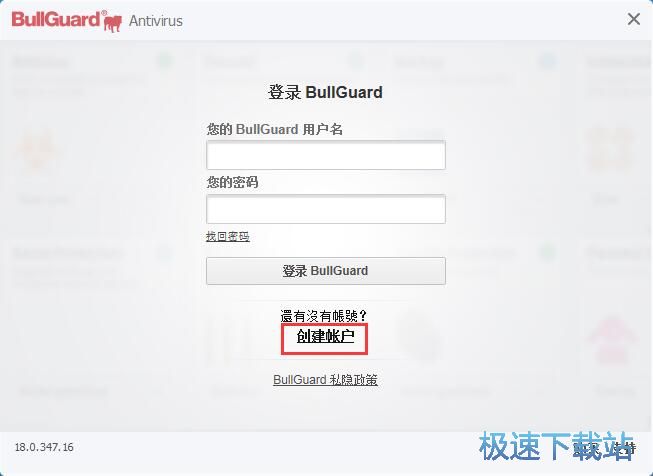
極速小編還沒(méi)有BullGuard Antivirus賬號(hào),這一次就給大家演示一下怎么注冊(cè)BullGuard Antivirus賬號(hào)吧。點(diǎn)擊BullGuard Antivirus賬號(hào)登錄界面中的創(chuàng)建賬戶(hù);
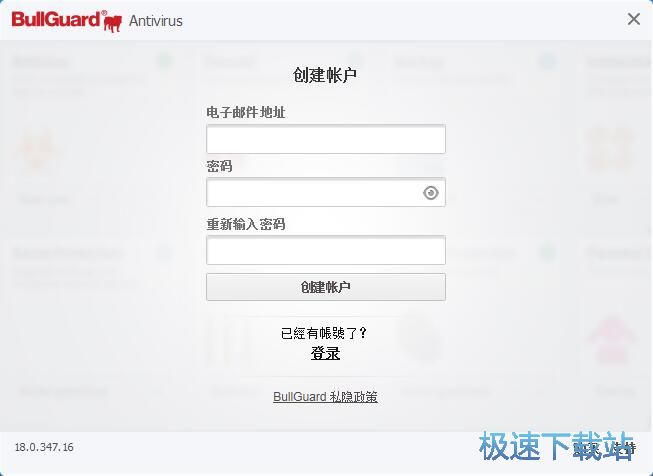
進(jìn)入BullGuard Antivirus賬號(hào)注冊(cè)界面。要注冊(cè)BullGuard Antivirus賬號(hào),我們要填寫(xiě)電子郵箱地址、設(shè)置密碼、確認(rèn)密碼;
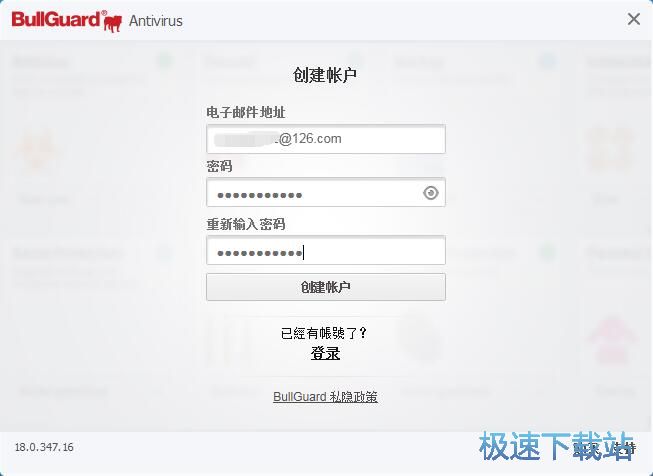
根據(jù)BullGuard Antivirus賬號(hào)注冊(cè)界面的提示填寫(xiě)好注冊(cè)信息之后,點(diǎn)擊創(chuàng)建賬戶(hù)就可以提交注冊(cè)信息,注冊(cè)賬號(hào)了;
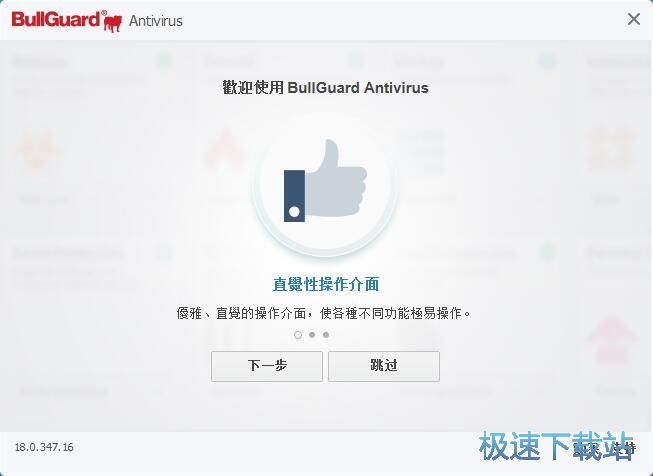
BullGuard Antivirus賬號(hào)注冊(cè)成功,這時(shí)候BullGuard Antivirus會(huì)顯示歡迎使用BullGuard Antivirus。
BullGuard Antivirus的使用方法就講解到這里,希望對(duì)你們有幫助,感謝你對(duì)極速下載站的支持!
BullGuard Antivirus 18.0.347.16 中文版

- 軟件性質(zhì):國(guó)外軟件
- 授權(quán)方式:共享版
- 軟件語(yǔ)言:多國(guó)語(yǔ)言
- 軟件大小:51127 KB
- 下載次數(shù):81 次
- 更新時(shí)間:2019/3/27 2:37:45
- 運(yùn)行平臺(tái):WinAll...
- 軟件描述:現(xiàn)在電腦病毒越來(lái)越厲害,早些時(shí)候的勒索病毒驚動(dòng)全球,單靠360安全衛(wèi)士不能保障你... [立即下載]
相關(guān)資訊
相關(guān)軟件

46.78 MB / 2019/1/14

36.12 MB / 2019/1/18

1.51 MB / 2018/11/15

82.53 MB / 2018/10/24

44.55 MB / 2019/3/18

41.17 MB / 2018/9/6

11.29 MB / 2019/3/11

131.38 MB / 2019/2/23
- 怎么將網(wǎng)易云音樂(lè)緩存轉(zhuǎn)換為MP3文件?
- 比特精靈下載BT種子BT電影教程
- 土豆聊天軟件Potato Chat中文設(shè)置教程
- 怎么注冊(cè)Potato Chat?土豆聊天注冊(cè)賬號(hào)教程...
- 浮云音頻降噪軟件對(duì)MP3降噪處理教程
- 英雄聯(lián)盟官方助手登陸失敗問(wèn)題解決方法
- 蜜蜂剪輯添加視頻特效教程
- 比特彗星下載BT種子電影教程
- 好圖看看安裝與卸載
- 豪迪QQ群發(fā)器發(fā)送好友使用方法介紹
- 生意專(zhuān)家教你如何做好短信營(yíng)銷(xiāo)
- 怎么使用有道云筆記APP收藏網(wǎng)頁(yè)鏈接?
- 怎么在有道云筆記APP中添加文字筆記
- 怎么移除手機(jī)QQ導(dǎo)航欄中的QQ看點(diǎn)按鈕?
- 怎么對(duì)PDF文檔添加文字水印和圖片水印?
- 批量向視頻添加文字水印和圖片水印教程
- APE Player播放APE音樂(lè)和轉(zhuǎn)換格式教程
- 360桌面助手整理桌面圖標(biāo)及添加待辦事項(xiàng)教程...
- Clavier Plus設(shè)置微信電腦版快捷鍵教程
- 易達(dá)精細(xì)進(jìn)銷(xiāo)存新增銷(xiāo)售記錄和商品信息教程...
更多常用電腦軟件
 英雄聯(lián)盟
 王者榮耀
王者榮耀 暴風(fēng)影音
 酷狗音樂(lè)
 騰訊QQ
騰訊QQ 360瀏覽器
 360安全衛(wèi)士
- 360殺毒
 迅雷
迅雷 搜狗輸入法
搜狗輸入法 魯大師
魯大師 驅(qū)動(dòng)精靈
 美圖秀秀
美圖秀秀 WinRAR
 WPS Office
 金山打字通
金山打字通


